One loyalty system for four Swire malls
I led design on the CRM behind Swire Properties’ mall membership: what members, concierge staff, tenants, the promotion team and back-office admins each do in it, from the record model to the UI that shipped.
Swire Properties runs four malls in Hong Kong: Taikoo Place, Cityplaza, Pacific Place and Citygate. The CRM replaced a previous vendor’s portal with one platform, on which each mall keeps its own tiers and promotions.
I was the designer on a team of four to five engineers and four business analysts, working in two-week sprints with a demo to Swire at the end of each.
One purchase, five hands
A single purchase passes through five groups: the member, the concierge desk, the tenant, the promotion team, and the back office that set up the programme. Points and gifts are worth money, so each hand-off needs a check someone can trust. I designed registration and member admin; receipts, points and redemption; tenant management and reimbursements; programme and promotion configuration; users and roles; and the campaign emails.
Three things the design held to
The record first.
Before any screen, I agreed with Swire’s tech lead what a member record and a receipt are, and which states each can be in.
The core loop before more scope.
Receipt to points to tier had to work first. When scope kept growing, I pushed back with the product owner to get that loop right before adding to it.
One component set, many brands.
The interface is one set of Vuetify components themed per tier, and the campaign emails are one set of templates styled per mall.
Receipts, points and redemption
Led designThe concierge desk registers members, enters their receipts and redeems gifts, so the redemption flow is designed to finish at the desk, in one visit.
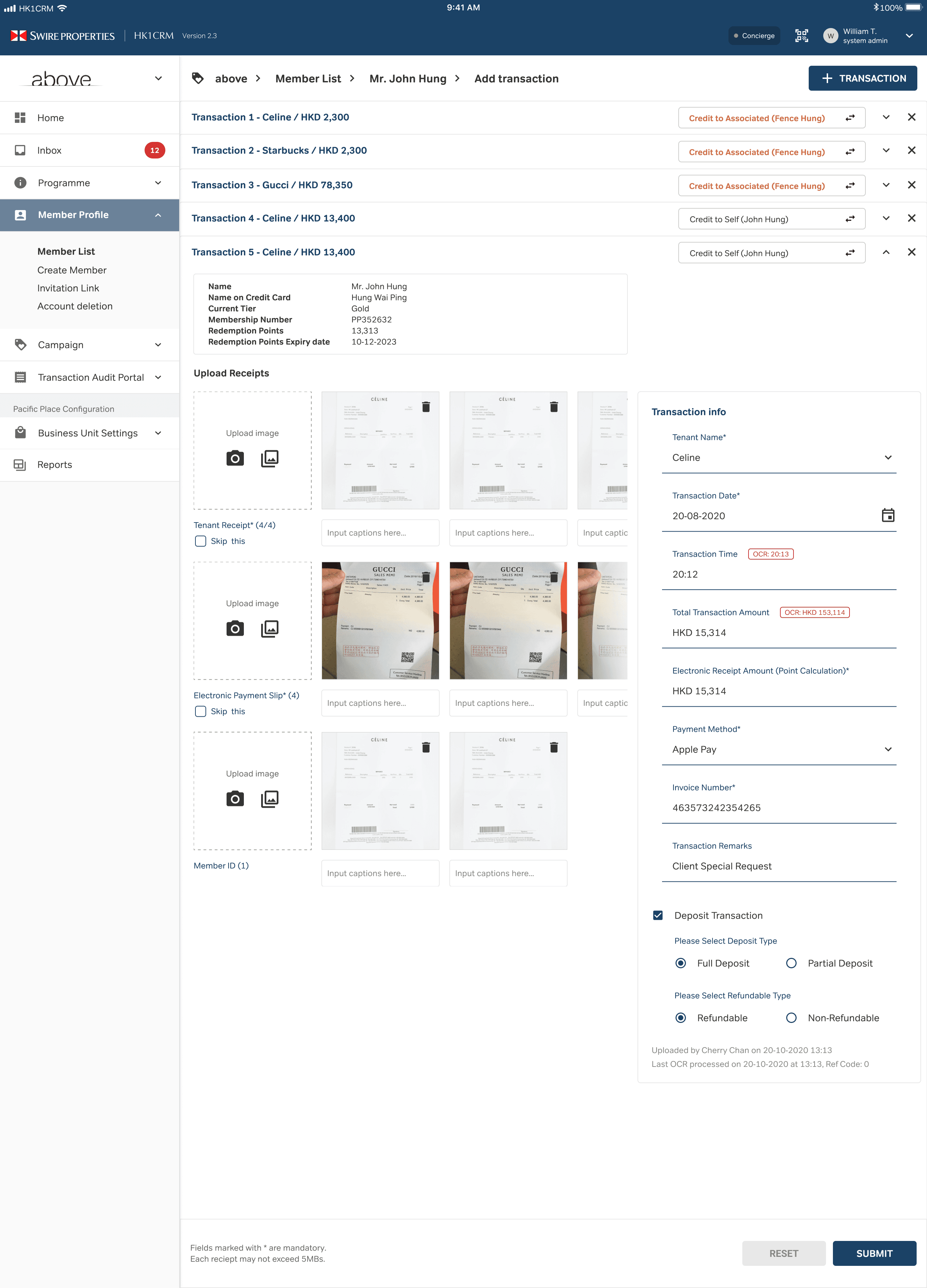
Entering a receipt against what OCR read
Staff upload the receipt and the payment slip, and OCR reads the date, time and total. The form keeps both what staff entered and what OCR read, and flags a field when they differ. Each transaction is credited to the member or to an associated member. Points follow a conversion rate set per tenant category, and above a tier’s limit for instant points the receipt is checked before points post.
1 / 5A receipt photo is uploaded at the desk; OCR reads the date, time and total.
Redeeming a gift in the same visit
Staff redeem from the member’s Rewards & Gifts tab with the sum in view: available points, minus the deduction, equals what is left. A short balance stops the redemption before anything moves. Redeem & actualize hands the gift over on the spot, each item matched to its serial number and confirmed by the member’s signature.
1 / 6From the member's Rewards & Gifts tab, staff see what this member can redeem and where each gift is collected.
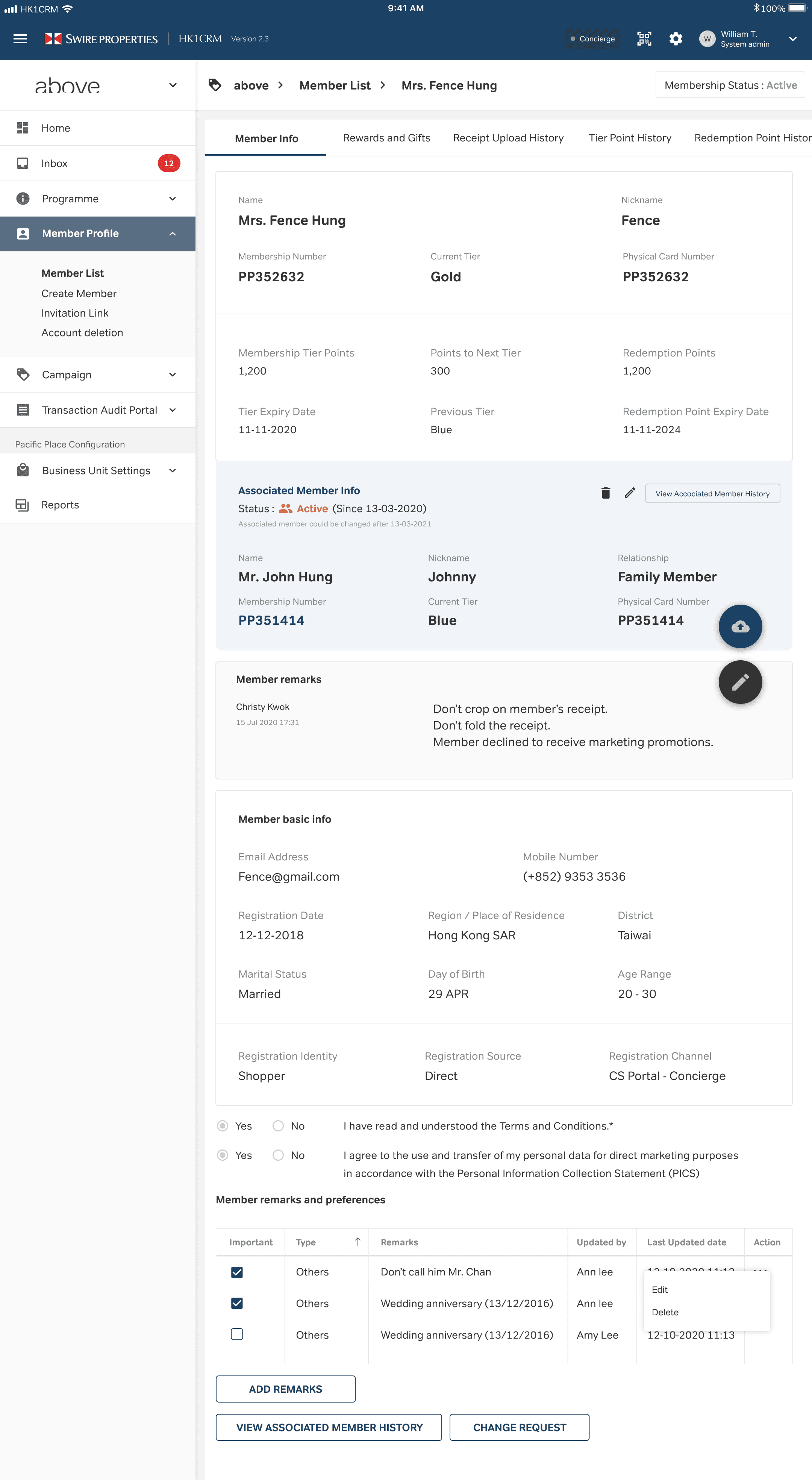
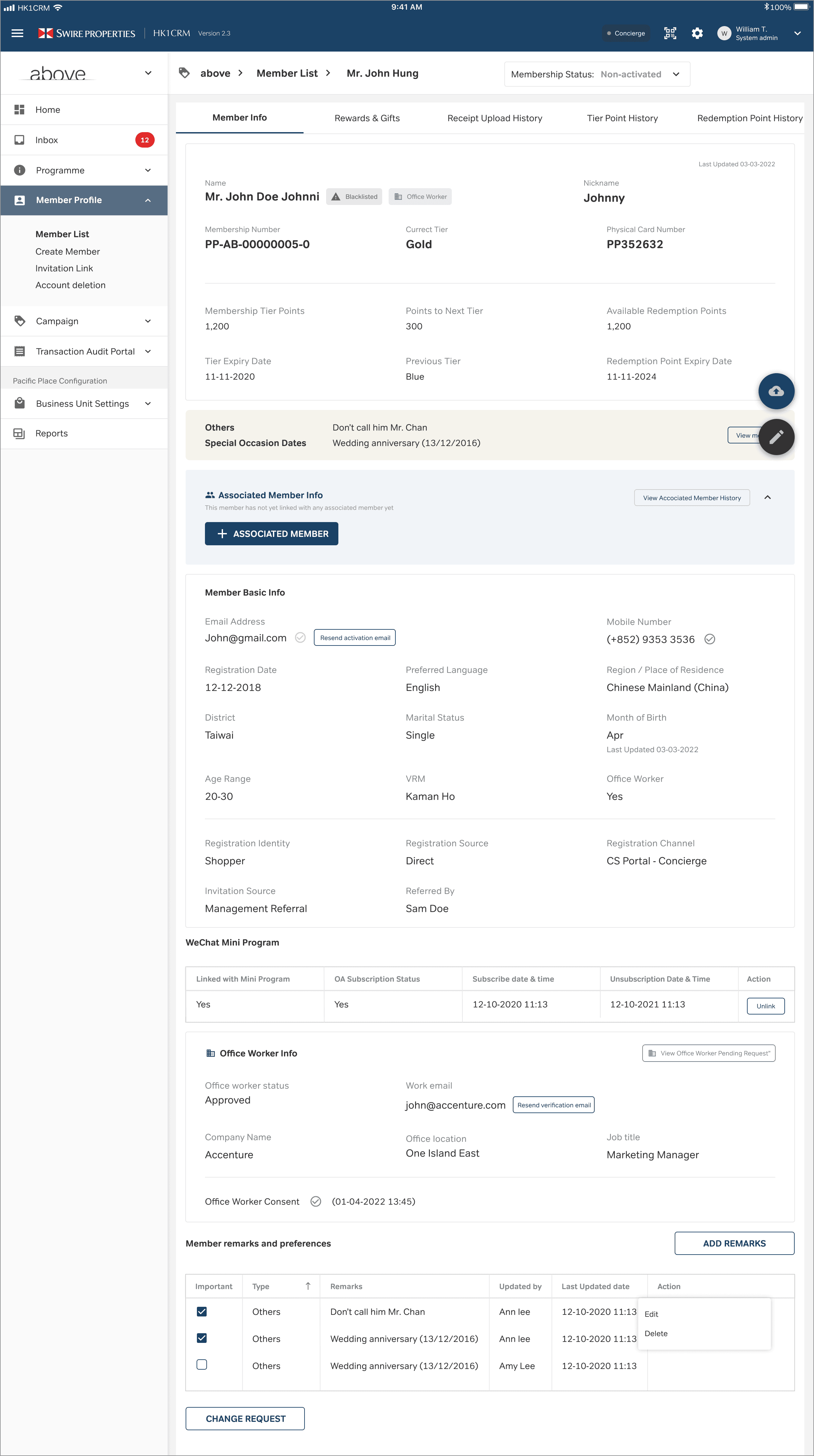
One record per member
Tier and points with their expiry dates, associated members such as family, office-worker verification, the WeChat mini program link, consent and staff remarks, all on one record that any desk can read.
Tenant management and reimbursement
Led designWhen a member’s e-voucher is used at a tenant’s shop, the mall reimburses the tenant. Each use is a transaction; each month, a tenant’s transactions roll up into one reimbursement summary that goes through endorsement and approval. Tenant settings decide whether a shop’s receipts earn points, at what rate, and whether shoppers can upload them themselves.
Eight states, one record
From the tenant’s first details to the promotion team’s decision, with what can be done at each step.
Eight states for one reimbursement record, from the tenant's first details to the promotion team's decision.
Monthly summaries, several approvers
In the reimbursement portal, tabs follow the summary’s status. Every approver signs off, and a rejected summary is regenerated, with records sorted by the cut-off date, instead of rebuilt by hand.
| Actualization txn | Invoice | e-voucher | Status |
|---|---|---|---|
| CP-LA-00212 | INV-0509-01 | $150 | Submitted |
| CP-LA-00213 | INV-0509-02 | $150 | Submitted |
| CP-LA-00218 | INV-0512-07 | $300 | Submitted |
| CP-LA-00220 | — | $150 | Voided |
1 / 6Each month, the e-vouchers used at a tenant roll up into one reimbursement summary. Voided transactions stay out of the total.
Programme, approvals and emails
Led designEach mall configures its own programme: tiers and their rules, point conversion per tenant category, promotions, gifts, and who has to approve what. Under all of it sits one component set.
Four tiers, one set of components
Members sit in four tiers: blue, gold, platinum and black. Each tier has entry, upgrade and renewal rules, by same-day spending, single spending or tier points, set separately for general shoppers and office workers. I designed the interface on Vuetify’s components, themed per tier, so one set of buttons, forms and upload flows serves all four, and a fix lands in every tier at once.
Who has to approve what
Anything that changes points or status by exception goes through an approval matrix: late receipts, manual point adjustments, manual tier changes and more. Each mall sets the sequence per request type, and the chain grows with the amount or the tier involved.
The bigger the amount or the higher the tier, the longer the chain. Pick a request to try it.
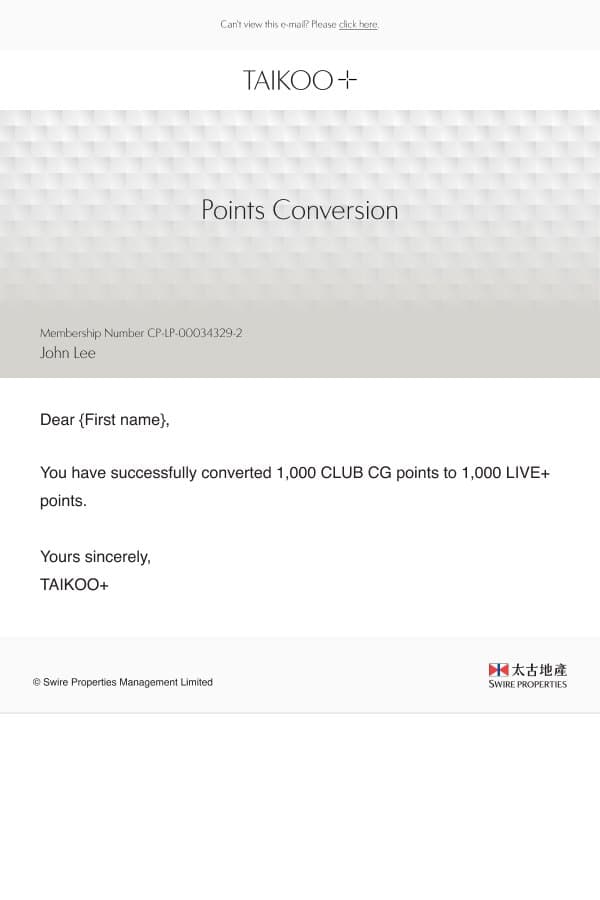
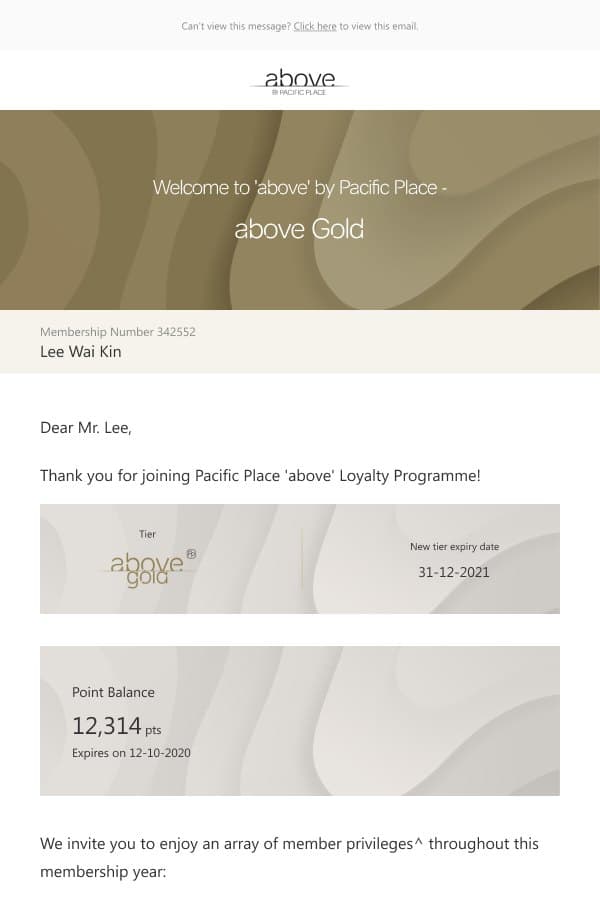
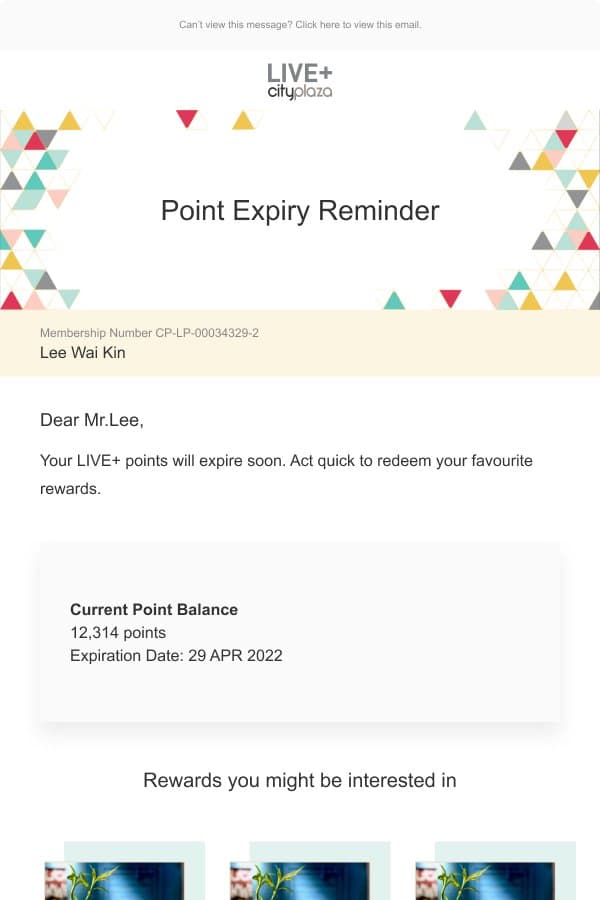
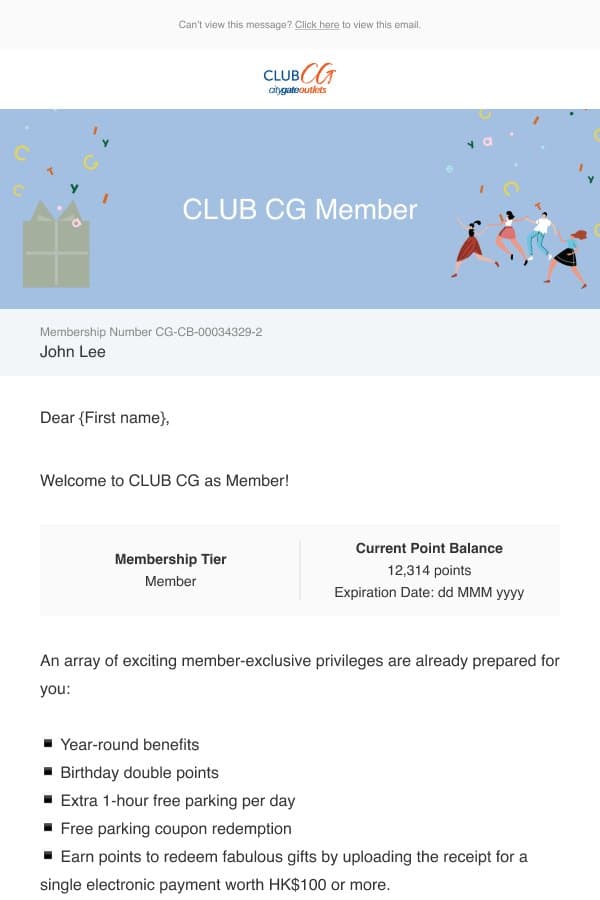
Campaign emails in each mall’s own branding
Members hear from their mall by email: welcomes, tier changes, point expiry, offers. I designed the templates as one component set (header, banner, member info, point summary, offers, footer) styled to each mall’s own programme. Salesforce Marketing Cloud sits in Swire’s wider ecosystem alongside the CRM.
From a vendor’s portal to the shipped system
- Start
- Walked the previous vendor’s portal with the business analysts, screen by screen, to find what was going wrong.
- Model
- Agreed the member and receipt records, and their states, with Swire’s tech lead before drawing screens.
- Scope
- Pushed back with the product owner to get receipt to points to tier right before more was added.
- Rhythm
- Two-week sprints, with a demo to Swire at the end of each.
- Role
- Senior UI/UX Designer, Oursky. Led design; the only designer on the team.
- Client
- Swire Properties · Taikoo Place, Cityplaza, Pacific Place, Citygate
- Dates
- 2020–2024
- Platform
- Staff web back office
- Tenant portal
- Member emails, per mall
- Team
- 1Designer
- 4–5Engineers
- 4Business analysts
- Product owner
- Tech lead
- Designed on
- Vuetify components, themed per tier
- Outcome
- Replaced a vendor portal; live and in use in the four malls
What I learnedGet one loop right before widening scope. Receipt to points to tier carried everything else.